For Download
InShot is a powerful and highly popular all-in-one mobile video and photo editing application available for both iOS and Android platforms, designed primarily for quick, intuitive content creation, especially for social media.
It serves as a comprehensive toolset that allows users—from beginners to content creators—to produce high-quality videos directly on their smartphones or tablets without needing complex desktop software.
The application is celebrated for its user-friendly interface, which streamlines the editing process with a portrait-mode layout optimized for touch controls.
The core functionalities of InShot cover essential video manipulation, including trimming, cutting, splitting, and merging multiple video clips and photos to create cohesive projects or slideshows.
Users can easily adjust the video canvas to fit various aspect ratios (e.g., 9:16 for TikTok/Reels, 1:1 for Instagram, 16:9 for YouTube), and control the clip speed, offering both fast and smooth slow-motion effects. Beyond the basics, InShot includes a rich array of creative features.
This includes an extensive library of cinematic filters, visual effects (like Glitch and Retro), and professional-grade transitions to enhance video aesthetics.
Audio editing is robust, allowing users to add music from an in-app library or their device, extract audio from other videos, record voiceovers, and incorporate sound effects, all with adjustable volume levels and fade controls.
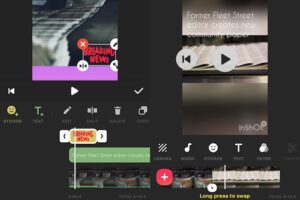
For visual flair, InShot provides tools to add text overlays with various fonts, colors, and keyframe animations, as well as a large collection of animated stickers and emojis.
Advanced features like Picture-in-Picture (PIP) for multi-layered videos, Chroma Key for green screen effects, and AI tools for functions like Auto Captions and background removal are also available, elevating the app’s capability.
The app operates on a freemium model. The free version offers core editing tools and supports high-quality export (up to 4K resolution), but it typically includes advertisements and applies a watermark to the finished video. Upgrading to InShot Pro via a subscription or a one-time purchase removes the watermark and ads while unlocking premium filters, effects, stickers, and other exclusive materials.
In essence, InShot’s balance of simplicity, speed, and powerful, regularly updated features has solidified its position as a go-to tool for modern mobile content creators seeking to publish polished, engaging media rapidly across all major social platforms.
About the Author